> For the complete documentation index, see [llms.txt](https://docs.usdd.io/llms.txt). Markdown versions of documentation pages are available by appending `.md` to page URLs; this page is available as [Markdown](https://docs.usdd.io/user-guide/risk-alert.md).
# Risk Alert
Protecting your assets with real-time risk monitoring
**Guide Scope: TRON**\
This guide covers Risk Alert setup for TRON [Vault ](https://app.usdd.io/tron/)positions. The instructions and screenshots below apply to TRON.
To help users better manage their collateralized positions, USDD has officially launched the Risk Alert feature. With Risk Alert, you’ll be notified the moment your position approaches the liquidation threshold, allowing you to take timely action and avoid unnecessary losses.
**Key Features**
* Dual-channel notifications: On-page alerts + Email notifications
* Wallet signature verification: No gas fee required
* Quick and easy email binding
* Instant alerts for high-risk positions to help prevent liquidation
**How to Enable Risk Alerts**
Just 6 simple steps to enable email risk alerts:
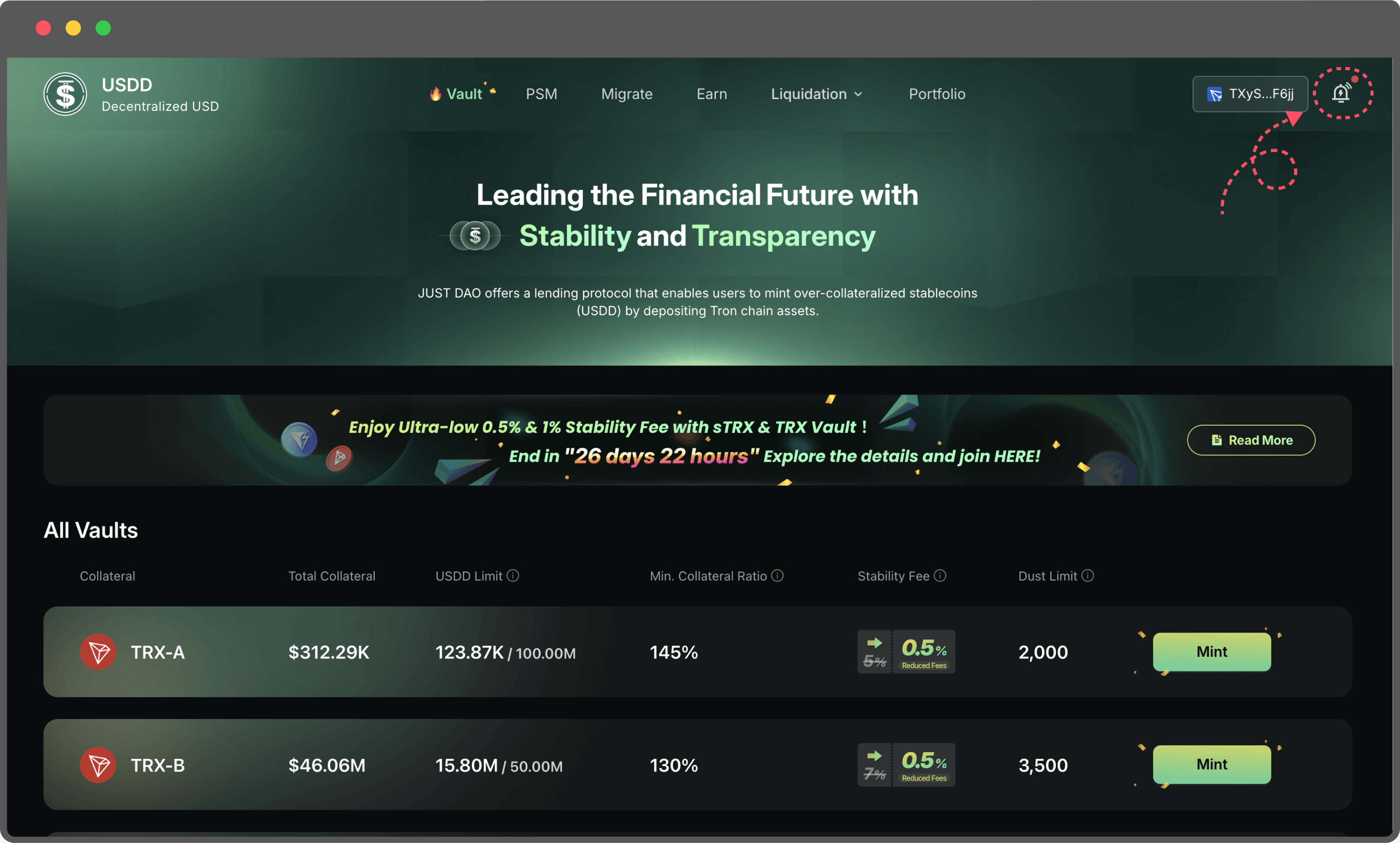
Step1: Visit and connect your wallet.
Step2:
* Click the bell icon in the top-right corner to start configuring email alerts.
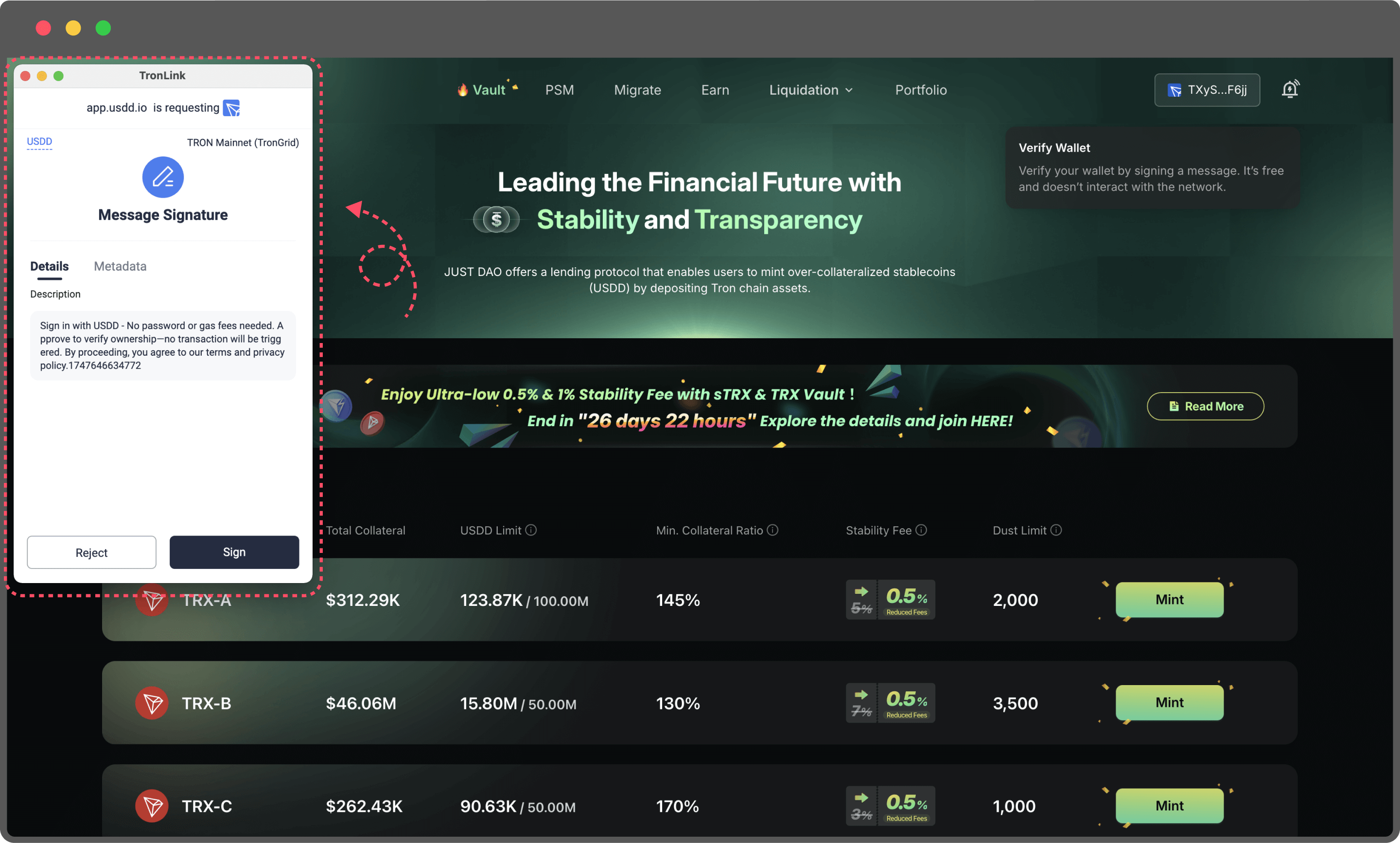
* If prompted, sign the verification message in your wallet. This message signature verifies ownership of your wallet address. It does not submit an on-chain transaction and requires no gas fee. After verification, the Risk Alert settings will open.
Step3: Connect and sign with your wallet
* You’ll be prompted to sign a message with your wallet.
* The signature is only used to verify ownership of the address—no gas fee will be charged.
* After signing, you’ll proceed to the next step.
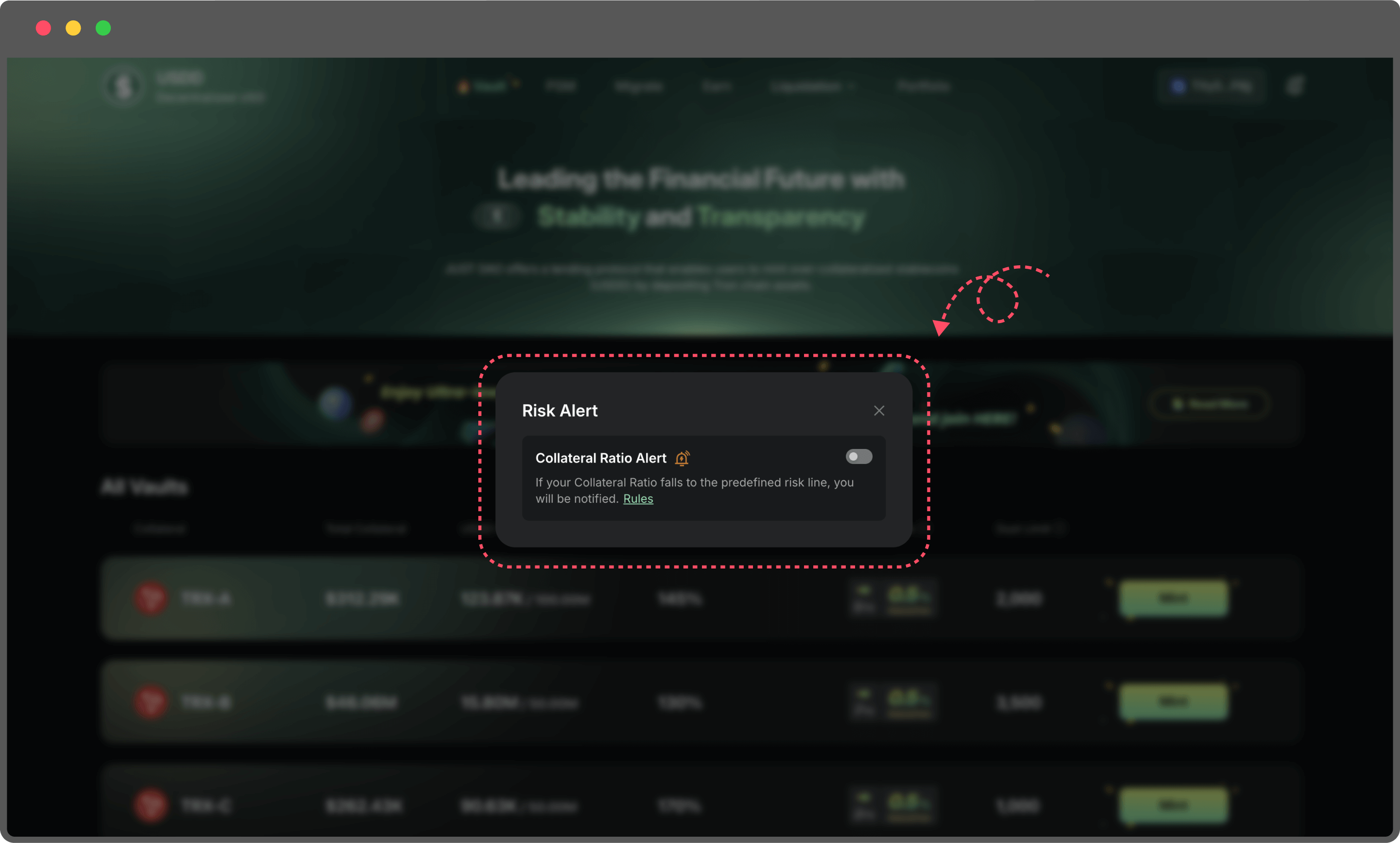
Step4: Turn on Risk Alert
* Switch on the risk alert toggle to start receiving notifications.
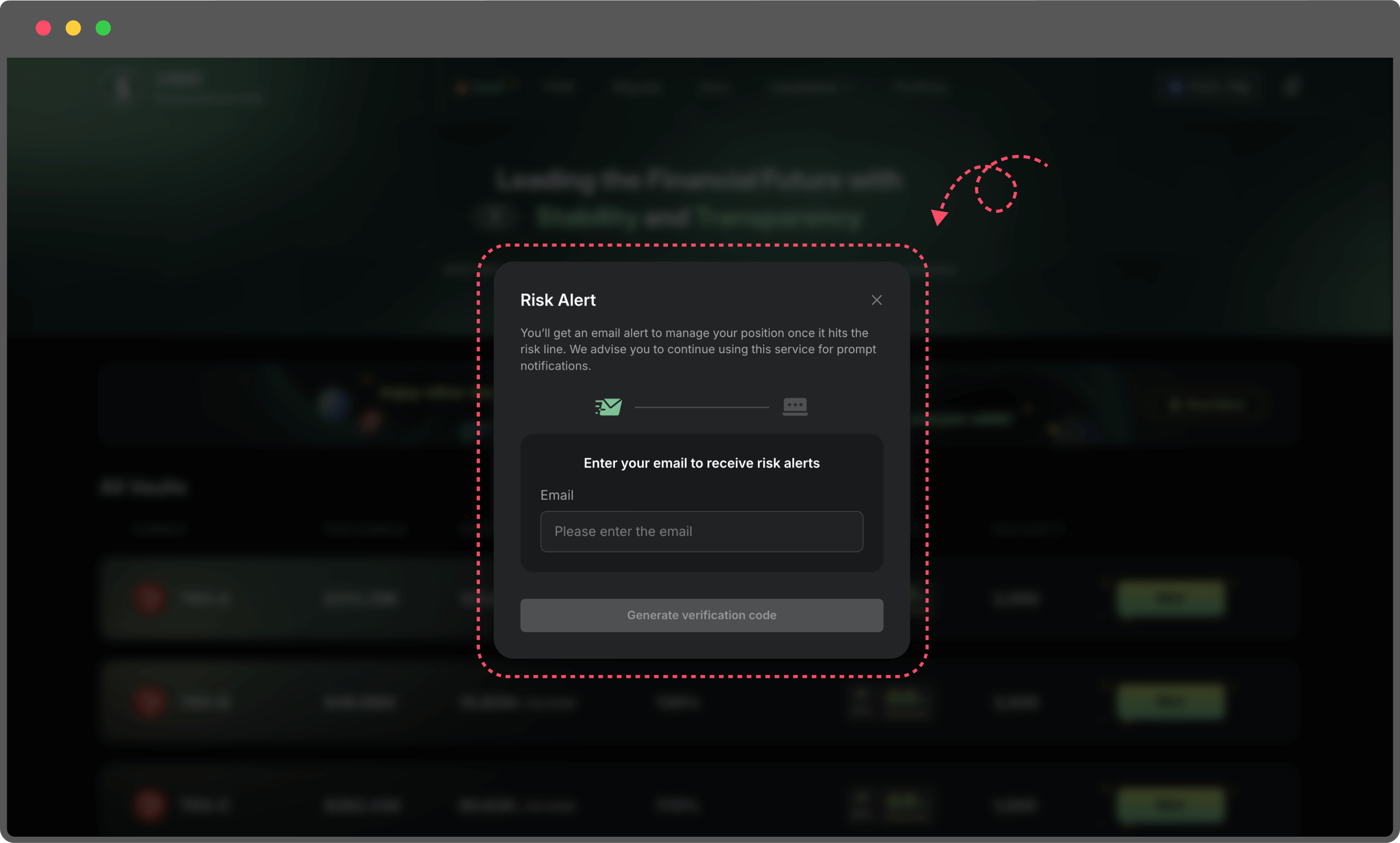
Step5: Enter your email address
* Use a frequently checked email to receive timely alerts.
* Your email will only be used to send risk notifications.
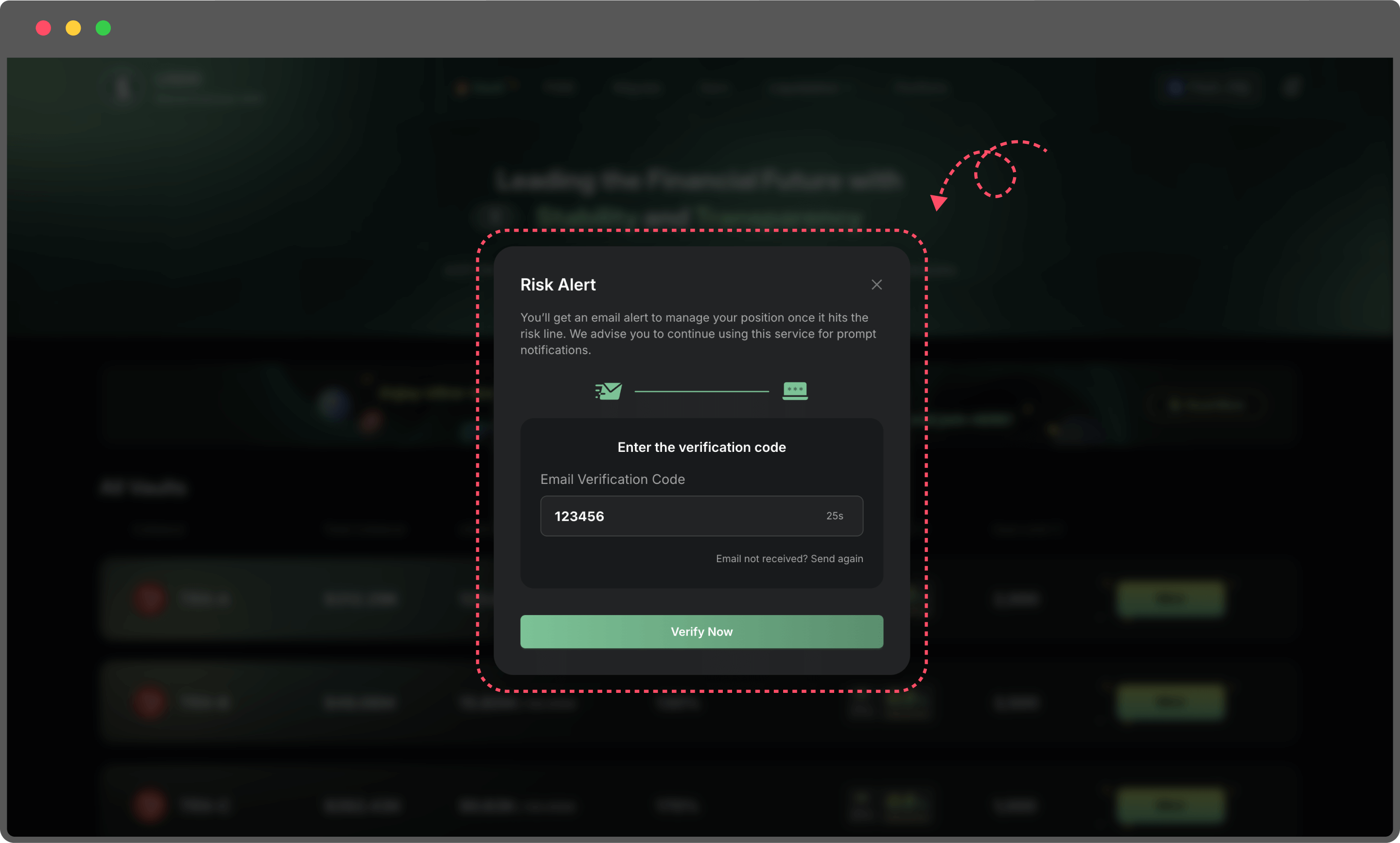
Step6: Enter the verification code to complete the binding
* A one-time code will be sent to your email.
* Enter the code to finish binding your email to your wallet.
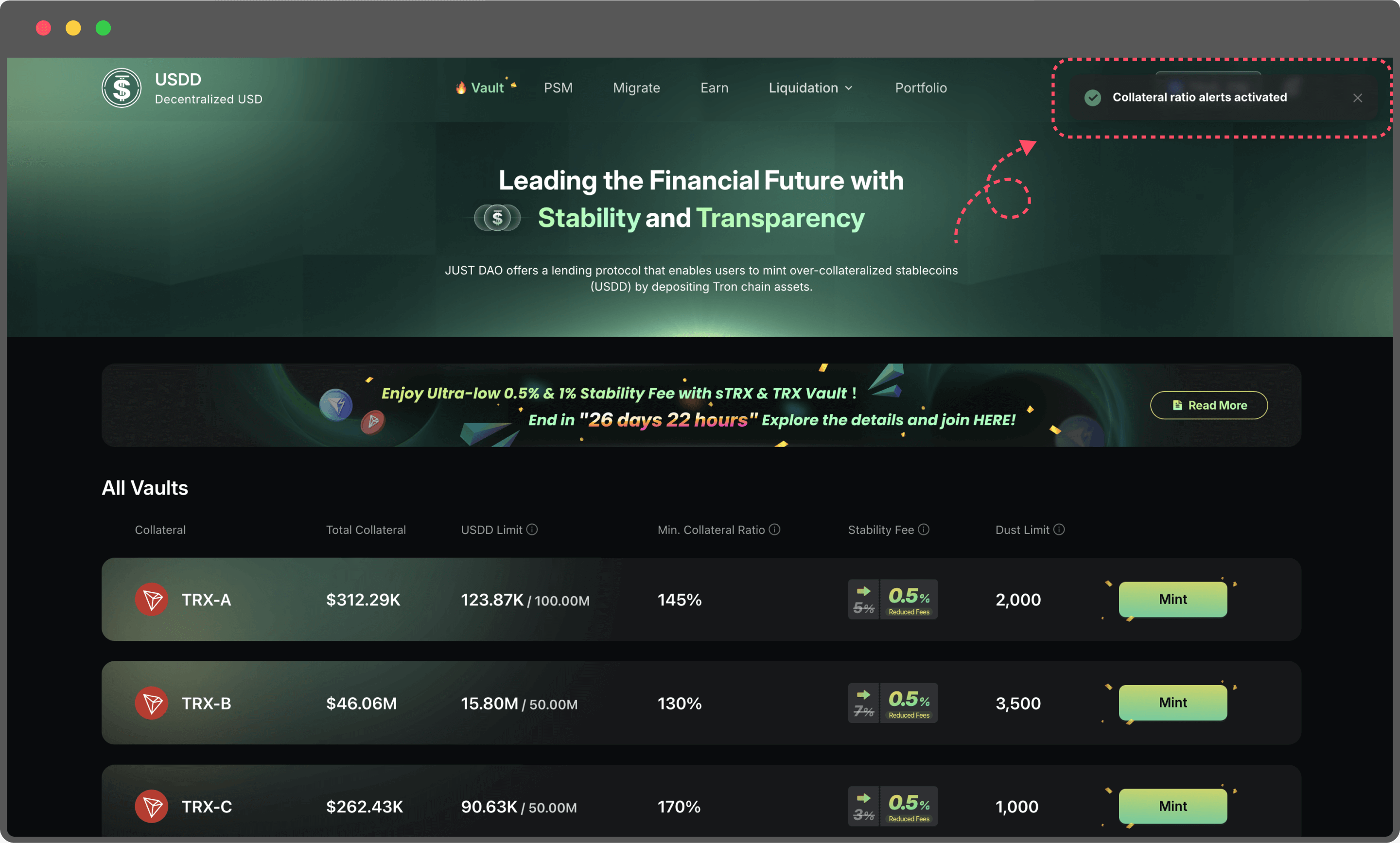
Once binding is complete, you can return to the same page anytime to turn email alerts on or off.
**Two Types of Risk Alerts**
Risk levels are based on the difference between your Vault’s Collateral Ratio and its liquidation threshold, measured in **percentage points**: Δ = Collateral Ratio (%) − liquidation threshold (%). For ratios expressed as decimals, Δ = 100 × (collateral ratio − liquidation ratio).
For example, with a 120% liquidation threshold: 124.99% and 125.00% are High Risk; 125.01%, 129.99%, and 130.00% are Moderate Risk; 130.01% is outside both alert bands. At or below 120%, the liquidation threshold has been reached or breached. This example is illustrative; use the liquidation threshold configured for your Vault.
1. On-Page Alerts (Always Active)
Risk warnings will automatically appear at the top of the page based on your Vault’s Collateral Ratio:
* **High Risk Alert:** Your Vault’s Collateral Ratio is above the liquidation threshold by **more than 0 and up to 5 percentage points** (0 < Δ ≤ 5).
* **Moderate Risk Alert:** Your Vault’s Collateral Ratio is above the liquidation threshold by **more than 5 and up to 10 percentage points** (5 < Δ ≤ 10).
* A difference of exactly **5 percentage points is High Risk**; exactly **10 percentage points is Moderate Risk**. A difference of 0 or less means the liquidation threshold has been reached or breached (pending liquidation), not a safe position. A difference above 10 percentage points falls outside these two alert bands.
No setup needed—alerts are always active and update in real time to keep you informed.
2\. Email Alerts (Manually Toggle On/Off)
* When enabled, the system will send an alert email whenever a risky position is detected.\
Perfect for users who are not always on the page—ensuring you receive important updates anytime, anywhere.
* You can manage this feature anytime through the bell icon in the top right corner.
* **High Risk Alert:** Your Vault’s Collateral Ratio is above the liquidation threshold by **more than 0 and up to 5 percentage points** (0 < Δ ≤ 5).
* **Moderate Risk Alert:** Your Vault’s Collateral Ratio is above the liquidation threshold by **more than 5 and up to 10 percentage points** (5 < Δ ≤ 10).
* A difference of exactly **5 percentage points is High Risk**; exactly **10 percentage points is Moderate Risk**. A difference of 0 or less means the liquidation threshold has been reached or breached (pending liquidation), not a safe position. A difference above 10 percentage points falls outside these two alert bands.